Quick answer
Enterlace installs professional whole-home and business Wi-Fi networks in Boca Raton and South Florida: wired backbone, ceiling access points, managed switching and VLAN segmentation. A typical home network runs $2,500 to $6,000 installed with coverage verified room by room. Free site surveys: (561) 299-0133.
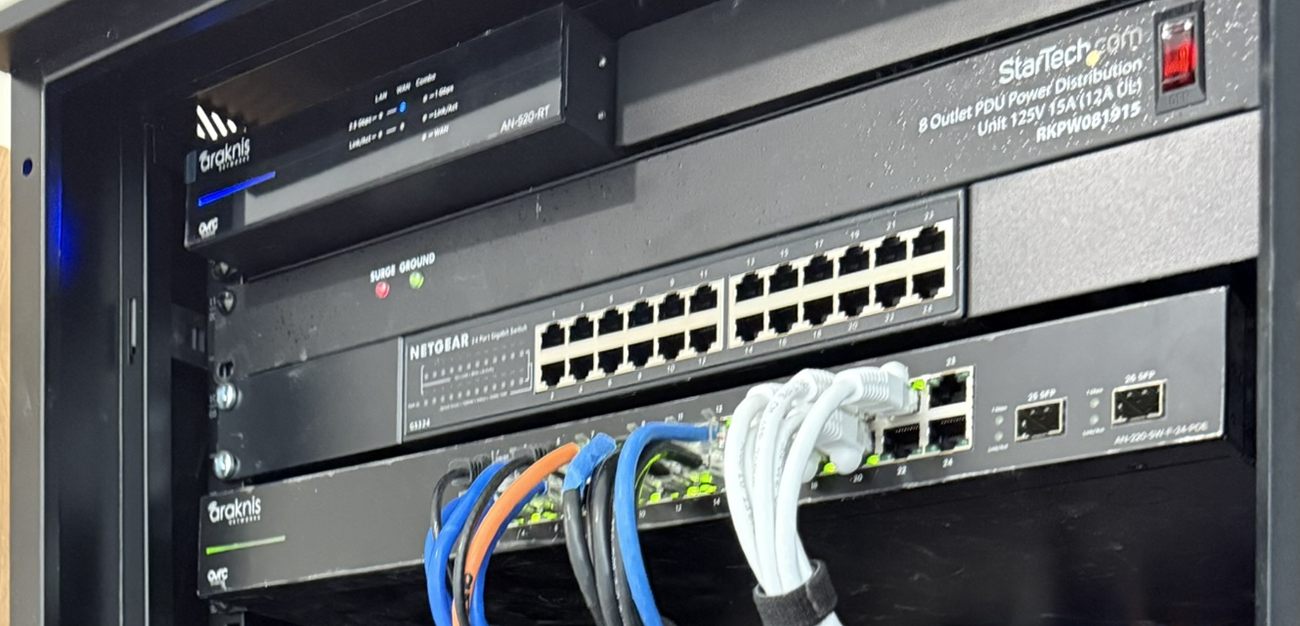
The router your provider handed you was designed to be free, not to cover 4,500 square feet of concrete block with a pool deck attached. Add forty smart devices, four streaming TVs, two people on video calls and a camera system, and the failure is predictable. It is almost never the internet plan.
Enterlace designs and installs professional networks for homes and businesses across Boca Raton, Coral Springs, Fort Lauderdale, Delray Beach and surrounding areas. Wired backbone, ceiling-mounted access points, managed switching and network segmentation, all monitored so we can see a problem before you call about it.
What a professional network looks like
The network is the one system everything else in a modern house stands on, which is why we build it first and why almost every "smart home is flaky" complaint resolves here. Seven things separate a professional install from a better router:
- Wired backbone: Cat6 to every access point, TV, camera, console and office. Wi-Fi is for things that move; everything else gets cable.
- Ceiling-mounted access points: placed from a coverage plan rather than guessed, so signal reaches the far bedroom and the outdoor kitchen at full speed.
- Managed switching with PoE: one place to power and control cameras, access points and door stations.
- Network segmentation (VLANs): IoT devices, cameras, guests and your work laptop on separate networks so a cheap smart plug cannot see your files.
- Guest network with its own password: shareable without handing out access to your household.
- UPS backup: the network and camera recorder stay up through the brownouts and flickers that come with Florida summers.
- Remote monitoring: we get alerted when an access point or camera drops, often resolving it before you are aware.
Common problems we get called about
- "Wi-Fi does not reach the pool or patio." Outdoor-rated access points and a wired run, not another mesh node bounced through a stucco wall.
- "I have to reboot the router every few days." Almost always an overloaded consumer gateway or an IP conflict. Both are fixable permanently.
- "Video calls drop but speed tests are fine." Latency, buffer bloat or Wi-Fi channel congestion. Speed tests hide all three.
- "Streaming buffers on one specific TV." Usually that TV is on Wi-Fi at the edge of coverage. One cable run ends it.
- "The mesh system I bought did not fix it." Mesh works when nodes are wired. Wireless-backhaul mesh in a concrete house halves throughput per hop.
- "The guest house has no signal." Fiber or a point-to-point wireless bridge, depending on distance and line of sight.
Business networks and managed IT
We support small and mid-sized businesses across South Florida, including offices, medical practices, restaurants, retail and multi-tenant properties, with the same infrastructure-first approach: business-class firewalls, segmented networks for POS and guest traffic, remote monitoring and a real support number that a human answers. The same crew handles the cameras and access control on the same visit.
If your business network is currently whatever the last IT person left behind, a technology assessment is the cheapest way to find out what you are actually running.
What every Enterlace project includes
Coverage plan, not guesswork
We survey the property and place access points from measurements, then verify signal in every room before leaving.
Certified installers
Omada and Ubiquiti platforms configured properly: VLANs, firmware policy, backups and documentation.
Proactive monitoring
Optional 24/7 monitoring on your network so outages get caught and often fixed remotely.
Speeds verified in writing
We document throughput room by room at handover so you know what you paid for.
Further reading on home networks
- Choosing the best home automation system for a Florida home · why the network is step one of six and what happens when it is left until last, plus the heat, lightning and storm-outage failures that are specific to this state.
- Low voltage vs. electrical: who should wire what in your home · the cable-side explanation for a network that tests fine and still stutters: induced noise, bend radius, termination and why certified link testing is the only proof that matters.
Get a fixed price for your property
Every home and building is different. That is exactly why the assessment is free. Call (561) 299-0133 or send the form and we will schedule a visit.
Request a Free Quote